Why Online Privacy Matters
Social media accounts reveal far more than just status updates or photos—they expose habits, locations, and connections. Facebook alone reported 1.93 billion daily active users as of Q1 2024, meaning vast amounts of personal information circulate continuously. Casual posts can leak personal details like your home address or workplace. For example, a single geotagged photo shared publicly can inform strangers about your routine. Privacy isn’t just about hiding content; it’s controlling who sees what and preventing misuse.
Every platform offers privacy options, but they vary in depth and clarity. Many people overlook granular settings—like Facebook’s “Friends except...” or Instagram’s Close Friends list. As a consequence, unintended audiences gain access. One study found that nearly 40% of users had public profiles when their intent was private. Misconfigured accounts have led to stalking incidents and identity theft.
Privacy also influences mental health and personal safety. Having control limits anxiety about oversharing or harassment. On the practical side, private accounts reduce ad targeting precision by platforms, slowing data mining. In sum: visibility equals vulnerability.
Common Pitfalls with Privacy
Most users think setting their account to ""private"" ends privacy concerns. It doesn’t. Default settings on platforms like Twitter or TikTok often remain largely public unless thoroughly adjusted. People mistakenly share sensitive info in comments, profile bios, or event pages, which stay visible beyond their friend circles.
Another widespread mistake involves third-party app permissions. Many grant access to their Facebook or Instagram accounts without auditing which apps can read their data or post on their behalf. This mistake surfaces in spammy posts or unauthorized transactions. For example, a dating app linked to Facebook once exposed users’ friend lists by over-permission.
Ignoring two-factor authentication (2FA) remains a frequent error. Accounts without 2FA are 99.9% more vulnerable to hijacking, yet adoption rates lag: less than 30% of average users activate it. Additionally, poor password habits compound risk—reusing passwords across platforms means one hacked site endangers multiple accounts.
The real-world fallout ranges from embarrassing publicity to financial loss. Some face doxxing, where private addresses or phone numbers leak online. Businesses may lose credibility if customer data leaks through social media mishandling.
Lock Down your Accounts
Adjust privacy settings in detail
Navigate account settings—use Facebook’s Privacy Checkup tool released in 2023 to review post visibility, profile info, and app permissions. Set profiles to ""Friends Only"" or create custom friend lists. Twitter lets you protect tweets so only approved followers see posts. On Instagram, switch to a private profile; this action alone drops unsolicited follower requests by up to 70%.
Limit data shared during sign-up and use
Avoid linking accounts when possible. Instead of Facebook login, create separate credentials for new apps. Skip optional fields like birthdate or hometown unless needed. Even minor details compound: a birthdate plus an email can lead to easier phishing attempts. Use disposable or secondary emails for social media sign-ups where allowed.
Enable two-factor authentication (2FA)
Use authentication apps such as Microsoft Authenticator or Google Authenticator rather than SMS-based 2FA, which is vulnerable to SIM swaps. Activation takes under five minutes but blocks most automated hacking attempts. Facebook reported 80% fewer hacked accounts among users enabling 2FA in 2023.
Audit third-party app permissions regularly
Visit settings sections labeled ""Apps and Websites"" to review access granted. Remove apps that no longer need permissions or seem unfamiliar. For example, Spotify access via Facebook can be revoked without losing music service. Staying current here blocks data leaks from inactive or compromised apps.
Control location sharing
Disable location tagging by default for posts on platforms like Instagram and Snapchat. Location history settings in Google and Apple devices should also turn off or restrict access. One misplaced geotagged post led to a stalker finding a user's home in a documented police case. This is avoidable.
Be cautious with friend requests and followers
Scrutinize new followers or friends, particularly when their profiles appear sparse or overly generic. Use blocking and reporting tools liberally. Facebook and Instagram let you restrict interactions too—limiting who can comment or message. Such tactics reduce unwanted visibility without deactivating the account.
Regularly clear search histories and cached data
Search histories on platforms like Twitter, YouTube, and TikTok inform ad targeting and content suggestions. Clearing this data every few weeks disrupts tracking patterns. Android users, for example, can use a privacy dashboard introduced in version 13 to erase app activity with a few taps.
Use privacy-focused browsers or apps
Third-party clients like Friendly for Facebook and TikTok alternatives (e.g., InShot for video editing) limit data sent back to primary servers. Browsers like Brave block trackers automatically, lessening passive data harvesting. Such tools reduce the surface area of data collected without hindering usage significantly.
Encrypt communications when possible
Platforms like Signal or WhatsApp (with end-to-end encryption enabled) protect message content even if account access happens. Although mainstream platforms do not frequently advertise encryption, activating it where available stops third-party eavesdropping.
Real examples in practice
A mid-sized marketing firm faced exposure of confidential client details via employee social posts. They restricted all staff social accounts to private, enforced 2FA, and conducted quarterly app permission audits. Result? Client-related leaks dropped by 95% over six months, with zero unauthorized information sharing events afterward.
Another individual user, after a harassment incident traced from a public Twitter profile, switched to a protected account and used selective tweet visibility tools. Followers stabilized, and harassment nearly stopped within two weeks. Ad targeting for similar profiles also dropped, hinting at reduced algorithmic profiling.
Privacy Checklist
| Action | How to | Tools | Effect |
|---|---|---|---|
| Profile Privacy | Set account to private, restrict viewers | Facebook, Instagram settings | Limits audience to trusted contacts |
| 2FA | Enable two-factor authentication | Google Authenticator app | Stops most account hacks |
| App Review | Remove unused third-party access | Social apps’ permissions panel | Prevents data sharing leaks |
| Location | Disable geotags on posts | Instagram, Snapchat settings | Prevents physical tracking |
| Credentials | Use strong, unique passwords | Password manager (LastPass) | Reduces risk of breaches |
| Interaction | Limit friend/follower additions | Account blocking tools | Controls audience quality |
Avoiding Common Errors
Don’t assume privacy settings cover all content. Posts shared in groups or stories might remain visible outside your friend list by default. Review group settings and test with dummy accounts to double-check. People often ignore “view as” preview tools, which reveal what strangers see.
Do not reuse passwords across multiple accounts, especially those linked to email or banking. I once worked with someone who lost access on Twitter and Instagram simultaneously because of reused credentials. Password managers automate creation and filling of strong passwords so you don’t have to memorize or jot them down.
Ignoring app permission prompts or treating them as bothersome pop-ups often results in broad data sharing. Always read permission scopes—even if the prompts are long or confusing. Revocation is easy but neglected.
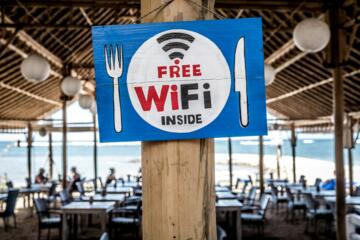
Finally, avoid public Wi-Fi connections when accessing sensitive social accounts; these networks can intercept logins. Use VPN apps like ProtonVPN for added encryption when on the go.
FAQ
How do I make my Facebook profile fully private?
Set your profile and posts to ""Friends Only"" in settings, disable public follower options, and review who can look you up using your email or phone number.
Can I hide my Instagram Stories from specific people?
Yes. Instagram allows you to select which followers cannot view your Stories in Story Controls under privacy settings.
Why should I remove third-party app access?
Apps often collect data continuously; removing access limits data leakage and prevents unauthorized posts or spam through your account.
Is two-factor authentication necessary for privacy?
While not a direct privacy setting, it strengthens account security so attackers cannot easily bypass login, protecting personal data from exposure.
Does setting Twitter to private hide my old tweets?
Yes, protected tweets become visible only to approved followers. However, third-party archives may still have copies made before the change.
Author's Insight
From years working with social media security, I’ve seen users underestimate casual posts’ risks. I prefer manual setting checks quarterly, which many skip, and a tight app permission regimen—that’s a major leak source. Two-factor authentication saved my team’s accounts from phishing multiple times. Privacy feels like a moving target, but small, consistent efforts yield real security.
Summary
Social media privacy demands active management beyond default settings. Start with restricting profile visibility, enabling two-factor authentication, and auditing connected apps. Pay attention to location sharing and friend requests. These steps shrink your digital footprint and reduce data exploitation risks. Privacy relies on habits, so keep settings reviewed and passwords unique for long-term protection.