How Email Moves End To End
Email looks instant. It is not. A message travels through multiple systems before it appears in Gmail or Outlook. Most delivery paths include sender server, authentication checks, recipient mail server, and spam filtering layers. The full trip often finishes in under 2 seconds, even across regions like Europe to North America.
When you hit send, your client talks to an SMTP server. That server does not “deliver” email directly. It queues it, checks formatting, and passes it forward. Simple action. Heavy machinery behind it.
Gmail alone handles more than 300 billion messages per day across users and automated traffic. That volume forces strict filtering at every step. Nothing casual about it.
That system decides everything.
Skip direct delivery thinking. It never existed. Messages bounce through layers of infrastructure before they reach a mailbox provider.
Most users see only two states: sent or received. Everything between those states stays hidden, running across distributed servers owned by Google, Microsoft, Amazon, and smaller SMTP relays worldwide.
Where Messages Fail
Emails do not fail randomly. They fail for predictable reasons that repeat at scale.
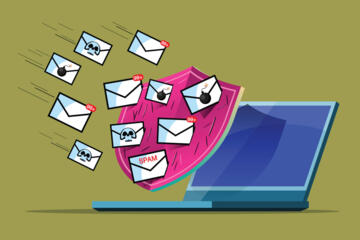
One common issue is authentication mismatch. If SPF or DKIM records are missing or misaligned, inbox providers treat the message as suspicious. Even legitimate emails get flagged. Especially then.
Another failure point is reputation. IP addresses carry history. If a server has sent spam before, future messages get throttled or filtered. No negotiation.
Spam filters also react to behavior patterns. Sudden spikes in volume from a new domain trigger rate limits inside systems like Microsoft Defender for Office 365 or Google Postmaster Tools.
Stop blaming content first. Infrastructure decides delivery before the email is even read.
Some emails land in spam even when they are clean. That happens when user engagement drops. Low open rates signal disinterest, and filters adapt quickly.
What Happens During Delivery
SMTP Connection Setup
Email begins with Simple Mail Transfer Protocol. The sending server opens a connection to the receiving server and introduces itself. This handshake sets basic rules for transfer.
It sounds simple. It is not. Timeouts, retries, and fallback routes all activate when servers are overloaded or misconfigured.
Connection stability matters more than message content at this stage.
SPF DKIM And DMARC Checks
Authentication systems verify identity. SPF checks allowed sending servers. DKIM signs the message. DMARC enforces policy if something fails.
Google Workspace and Microsoft 365 reject or quarantine messages when alignment breaks. Even one missing record can push emails into spam or block them entirely.
No identity match. No inbox.
IP Reputation Scoring
Every sending IP builds a reputation score over time. Services like Amazon SES and SendGrid track bounce rates, complaints, and engagement signals.
A drop below threshold triggers throttling. Delivery slows. Some messages get deferred for hours before retrying.
Reputation is invisible until it breaks.
Queue And Throttling Systems
Large providers never process all emails instantly. They queue messages and release them in controlled batches.
This prevents overload and stops abuse. A marketing campaign sending 1 million emails in 10 minutes will not bypass queue logic.
Speed gets shaped by policy.
Spam Filtering Models
Modern spam detection relies on machine learning models trained on billions of labeled messages. Gmail filters evaluate structure, links, attachments, and user behavior signals.
A message that looks harmless can still get flagged if it resembles known phishing patterns or promotional bursts.
Context matters more than keywords now.
Bounce And Retry Logic
Not all failures are final. Soft bounces trigger retries. Hard bounces stop delivery completely.
Servers like Postfix and Microsoft Exchange retry delivery over hours or days depending on error type. Some messages arrive late. Very late.
Delivery is persistent, not immediate.
Real Delivery Examples
A SaaS company using SendGrid once saw a 38% drop in email open rates after switching IP pools. The content stayed identical. Only infrastructure changed.
After warming a dedicated IP over 14 days and aligning SPF and DKIM, inbox placement improved by nearly 27%. Same emails. Different trust score.
Another case involved a fintech startup using Amazon SES. Their onboarding emails landed in spam for 3 weeks due to a sudden volume spike from 5,000 to 120,000 users. After throttling sends and stabilizing engagement, delivery recovered within 10 days.
Systems react slowly, then all at once.
Delivery Flow Checklist
| Stage | System | Signal | Outcome |
|---|---|---|---|
| Auth | SPF DKIM | Identity | Pass Fail |
| Reputation | IP Score | Trust | Throttle |
| Filter | ML Spam | Content | Inbox Spam |
| Delivery | SMTP Queue | Retry | Inbox Delay |
Common Mistakes In Email Delivery
Most delivery problems come from setup, not content. People assume writing better subject lines fixes inbox placement. It rarely does.
One mistake is sending cold campaigns without warming a domain. New domains lack reputation, so providers treat them cautiously for the first 7–14 days.
Another issue is ignoring feedback loops. Gmail and Outlook provide complaint signals. If those signals are ignored, reputation drops silently.
Stop rotating domains too fast.
Frequent domain switching resets trust history and looks suspicious to filters. Stability matters more than volume in early stages.
Attachments also break delivery more often than expected. Large PDFs or zipped files trigger scanning delays inside corporate systems like Microsoft Defender.
FAQ
Why do emails go to spam?
Spam filters evaluate sender reputation, authentication records, and user engagement. Even legitimate emails can be flagged if signals resemble promotional or risky behavior.
How long does email delivery take?
Most emails arrive within 1–3 seconds. Delays happen when servers queue messages, throttle traffic, or retry after temporary failures.
What is SPF DKIM DMARC?
These are authentication systems. SPF validates sending servers, DKIM signs messages, and DMARC sets rules for handling failures.
Why do emails get delayed?
Delays usually come from queue processing, spam checks, or temporary server overloads. High-volume sending increases delay probability.
Can emails be lost?
Rarely. Most “lost” emails are either filtered into spam, blocked by policy, or rejected due to authentication failure.
Author's Insight
Email delivery feels invisible until something breaks. I have seen teams blame content for weeks while the real issue sat in DNS records or IP reputation history. Once those layers are fixed, performance often jumps without touching a single word in the message.
If I were auditing an email system today, I would start with authentication alignment before anything else. Everything else reacts to that foundation...
Summary
Email travels through a structured chain of SMTP servers, authentication checks, reputation systems, and spam filters before reaching an inbox. Most failures come from configuration and trust signals, not message content. Understanding SPF, DKIM, DMARC, and sender reputation helps improve delivery rates significantly.
Fix the infrastructure first. Content comes second. Always.